Professionals

The best EHR for solo practices

Take your business to the next level with tools to power up efficiency, tap new revenue streams, and help more clients achieve the best outcomes.

The only solution you need

Get more done in less time with scheduling, payments, telehealth, charting, journaling, messaging, and so much more – all in one easy-to-love solution.

Say goodbye to redundancies

Supercharge efficiency by automating admin tasks that take up too much time. Easily configure workflows to smooth out your processes and give clients an experience they love.

Scale your services while protecting your time

Reimagine what success looks like by offering profitable programs and group sessions that impact more clients while protecting your time.
The admin support you don't have to hire

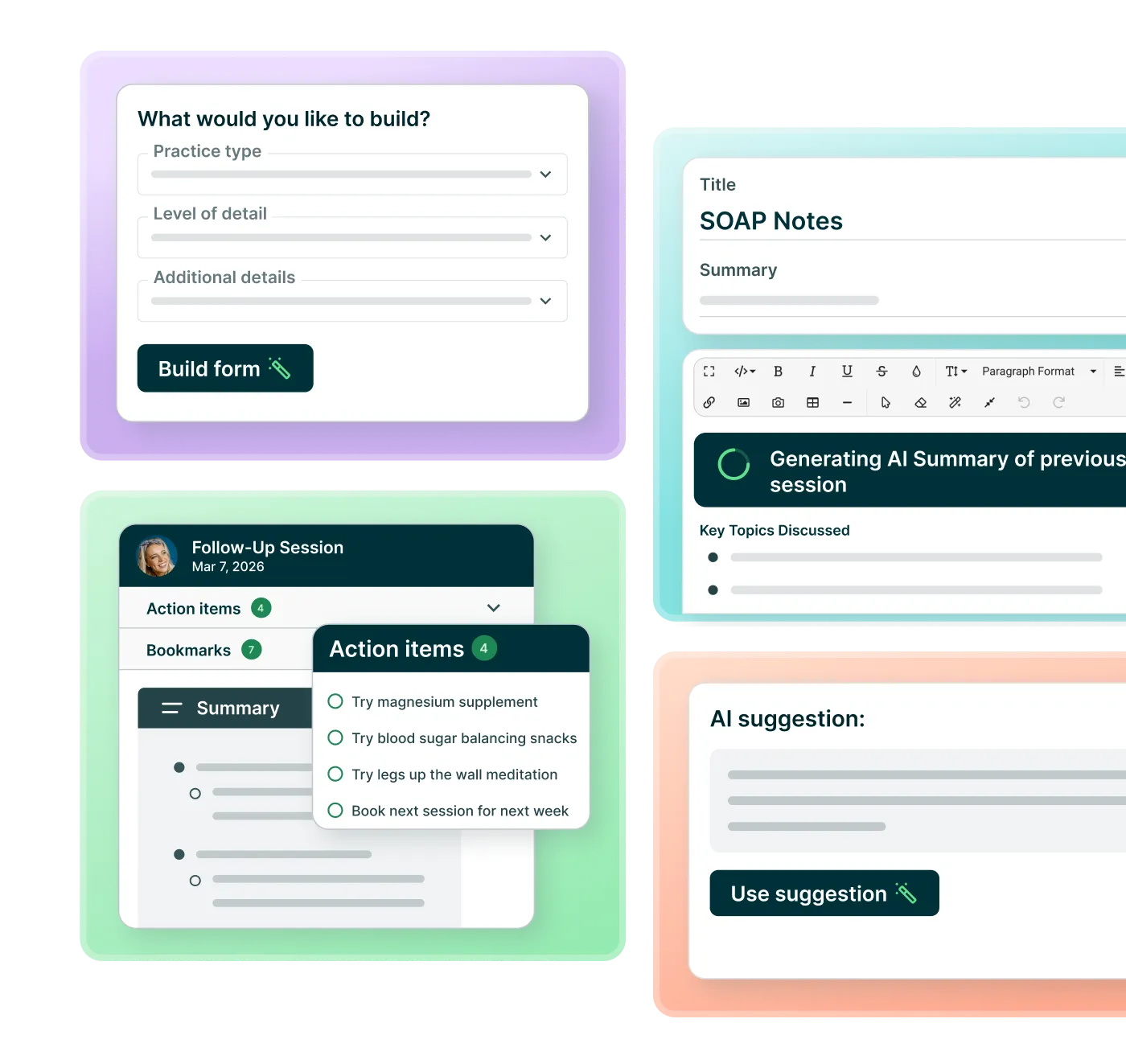
AI in Practice Better drafts your session notes and helps you write client messages, so your evenings start earlier. You stay in control: review, edit, and sign off on everything.

Notes drafted from your session

AI Charting Assistant turns your session into a structured note in the format you already use. You review and sign off.

Client messages, written faster

Draft check-ins, follow-ups, and program content without starting from a blank page.

One platform, not another subscription

AI is built into the tools you already use, with your client's full history already in context. No second app, no second login.

Happy clients, thriving practice

Leverage tools proven to keep clients engaged and reaching their goals without burning yourself out.

Let your brand shine through

Customize your portal and communications, so clients always feel comfortable and welcome.
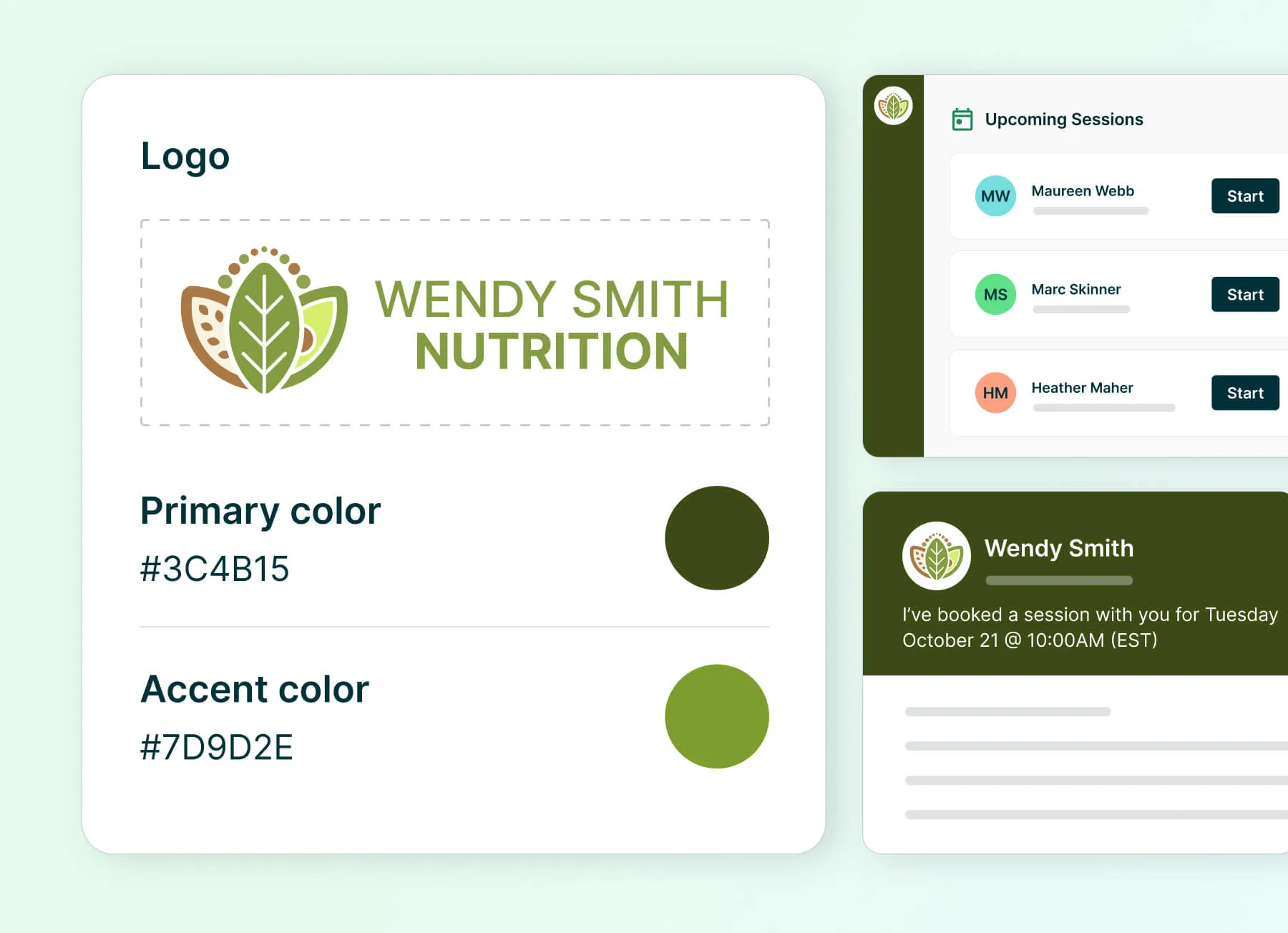
User interface showing branding controls within Practice Better

Frequently asked questions

What's included in my plan, and can I change it later?

Every plan includes charting, scheduling, billing, and a client portal. AI Charting Assistant, which drafts your session notes for you to review, is available as an add-on you can turn on whenever you're ready. You can upgrade, downgrade, or add features as your practice grows, without losing your data or client history. See plans and pricing for a full breakdown.

How does migrating from another platform work?

We offer free, hands-on migration support to bring your client records over from wherever you're coming from, so you're not starting from a blank account. Our team helps you plan the move and confirms nothing gets left behind before you make the switch.

Am I locked into a contract?

No. Practice Better doesn't require a long-term contract. You can pay monthly, or save by choosing annual billing — annual plans are billed once for the year rather than month to month, at a lower monthly rate. You can upgrade your plan whenever you're ready, and downgrades take effect at the start of your next billing cycle. See plans and pricing for current details.

Which AI features are included in my plan?

Practice Better includes a set of AI tools on every paid plan at no extra cost — including the AI Writing Assistant, AI Form Builder, AI Session Prep, and AI Session Insights. generation. AI Charting Assistant, which drafts your session notes for you to review, is available as an add-on you can turn on whenever you're ready. See plans and pricing for current details.

Does AI write my notes for me, or do I still review them?

You always review. AI Charting Assistant produces a draft; you edit it, approve it, and sign off before anything is filed to the client record. Nothing goes into a chart without your review.

Is my client data safe when I use AI features?

Yes. Your client data is not used to train AI models, and it isn't shared with other practices. AI features work on your own client records to produce output for you, under the same HIPAA, GDPR, and PIPEDA commitments that cover the rest of the platform — including your Business Associate Agreement (BAA). You can read the full details in our Trust Center.

Do I need a separate AI scribe or note-taking tool alongside Practice Better?

No. AI Charting Assistant runs inside Practice Better, on the client record you're already working on, so it has your client's history, forms, and past notes as context. The finished note lands directly in your client’s chart. There's no second app to open, no separate subscription to manage, and no copying notes between tools.

Do I need to change how I work to use AI in Practice Better?

No. AI shows up inside the tools you already use — your charting, your client messages, your forms and programs — rather than as a separate module you have to learn. If you'd rather not use it, you don't have to; nothing about your existing workflow changes.

“I’ve built my whole practice on top of this software platform. I took a look at the comprehensive range of features and tools it provided and then built a suite of services and programs around them.”
Dr. Ali Arjomand
PhD

Experience the platform that powers success for you and your clients

Try any paid plan free.