Group Practices

Run a multi-provider practice without the operational chaos

Practice Better is the EHR built for group practices — one platform your whole team actually runs on.

HIPAA logoPIPEDA logoGDPR logoG2 bannerCapterra badge
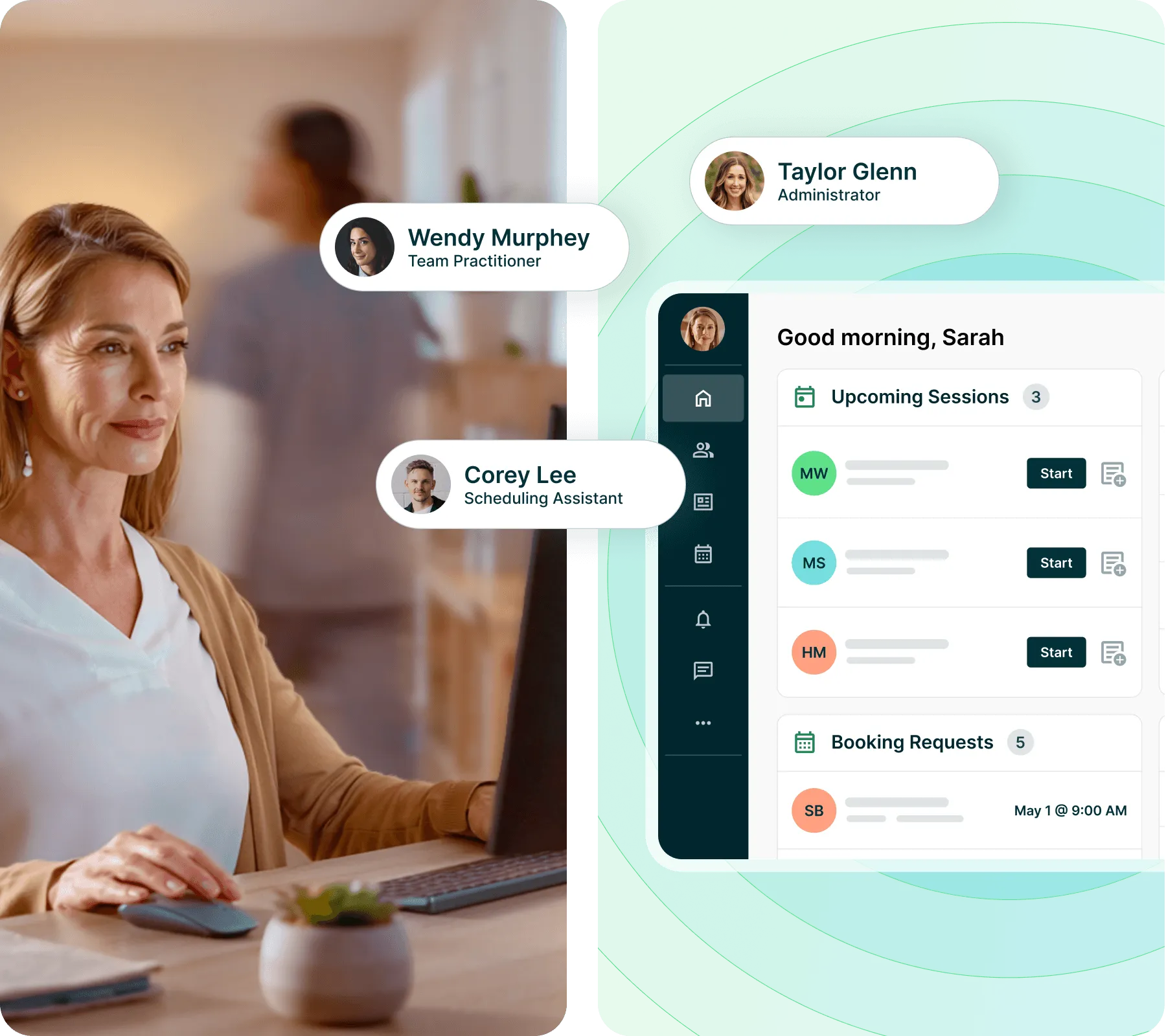
Woman working at a computer with Practice Better interface showing team members and a dashboard displaying upcoming sessions and booking requests

One platform for everything

All the tools you need to run and scale your practice, all in one spot – including scheduling, payments, telehealth, client accountability, e-courses, and more.

Trusted by health & wellness teams
50K+
practitioners served by Practice Better
1.7M+
clients supported
1.8K
group practices trusting Practice Better
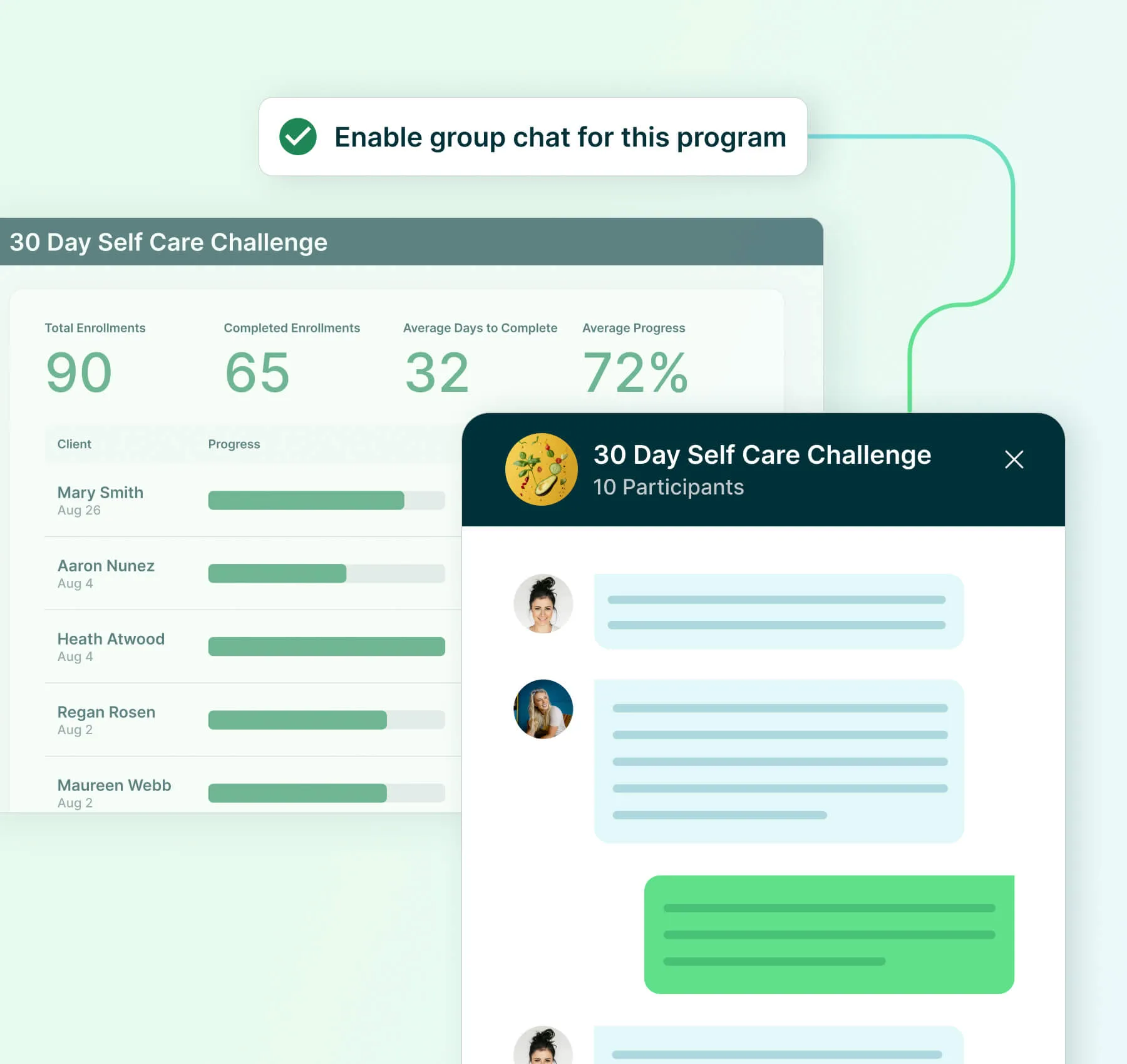
User interface showing group chat for Programs in Practice Better

Scale your practice on one platform

Give your team one place to work in sync across schedules, clients, and care workflows.

Shared resources, one place

Distribute intake forms, protocols, and client files to every practitioner from a single location.

Team-wide schedule visibility

See all team bookings in one unified calendar, without having to check availability manually.

Structured programs, secure communication

Run repeatable programs and keep clients and care teams connected with secure chat.
More capacity, without more headcount

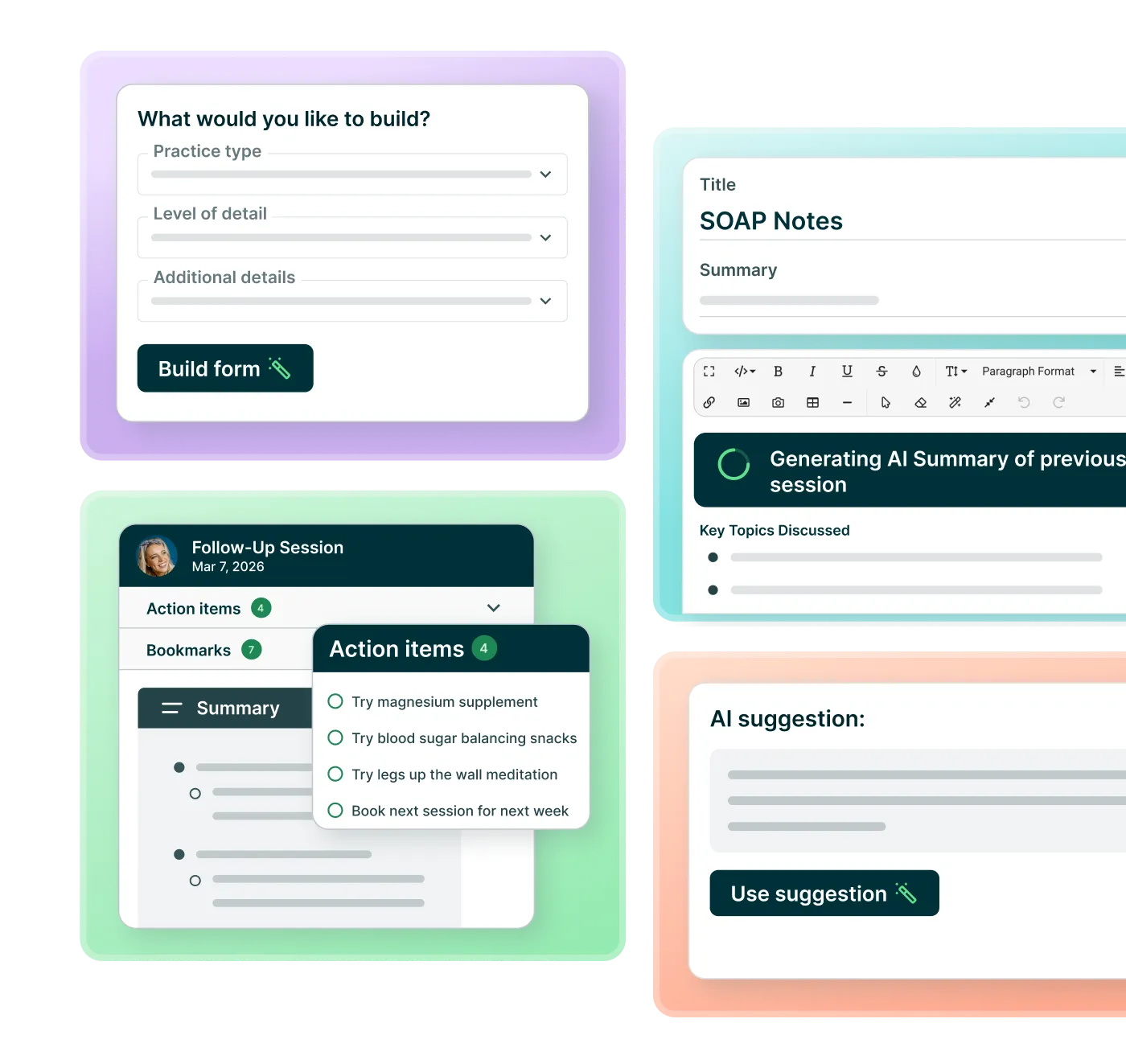
AI in Practice Better drafts session notes and helps your practitioners write client communications — so documentation quality stays consistent across the team. Every note is reviewed and signed off by the practitioner.

Consistent notes across every practitioner

AI Charting Assistant drafts into your team's note templates, so quality doesn't vary by who's writing. Each practitioner reviews and signs off.

Client communication, written faster

Draft check-ins, follow-ups, and program content for your own clients, no matter which practitioner is writing.

Built in for the whole team, not bolted on

AI works inside the tools your team already uses, with each client's full history in context. Nobody needs to bring their own AI tool.
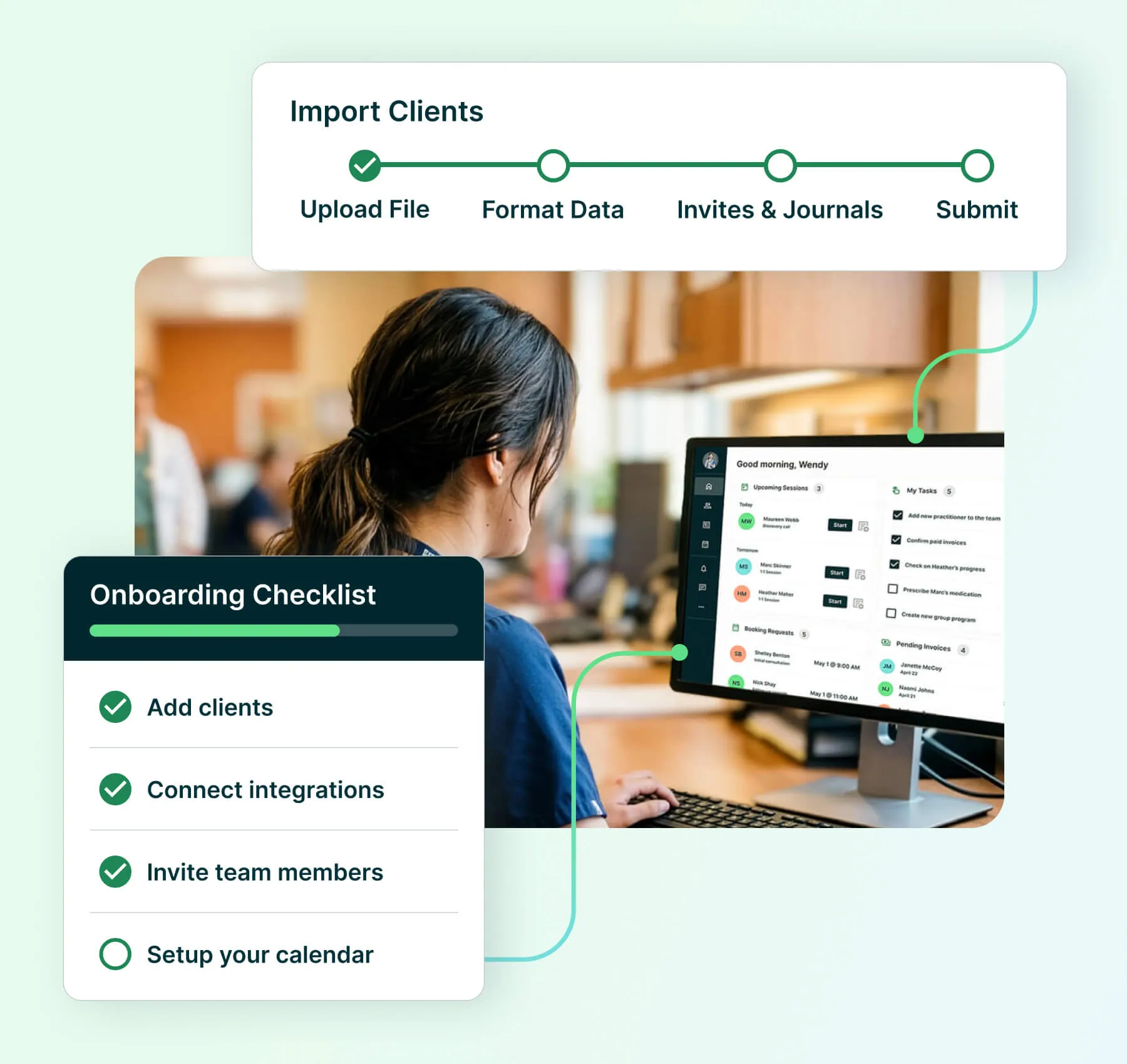
Woman working at a computer with onboarding checklist and importing clients progress

Switch without slowing down

Move your whole team to Practice Better with less lift, less disruption, and support at every step.

Every practitioner, ready from day one

Get personalized setup support for each team member who needs to be up and running.

Your data, migrated securely

We migrate client files, notes, and documents with care, so your team can switch with confidence.

AI-powered charting, faster ramp-up

Empower your team to complete notes faster, reduce manual work, and free up capacity for more clients.
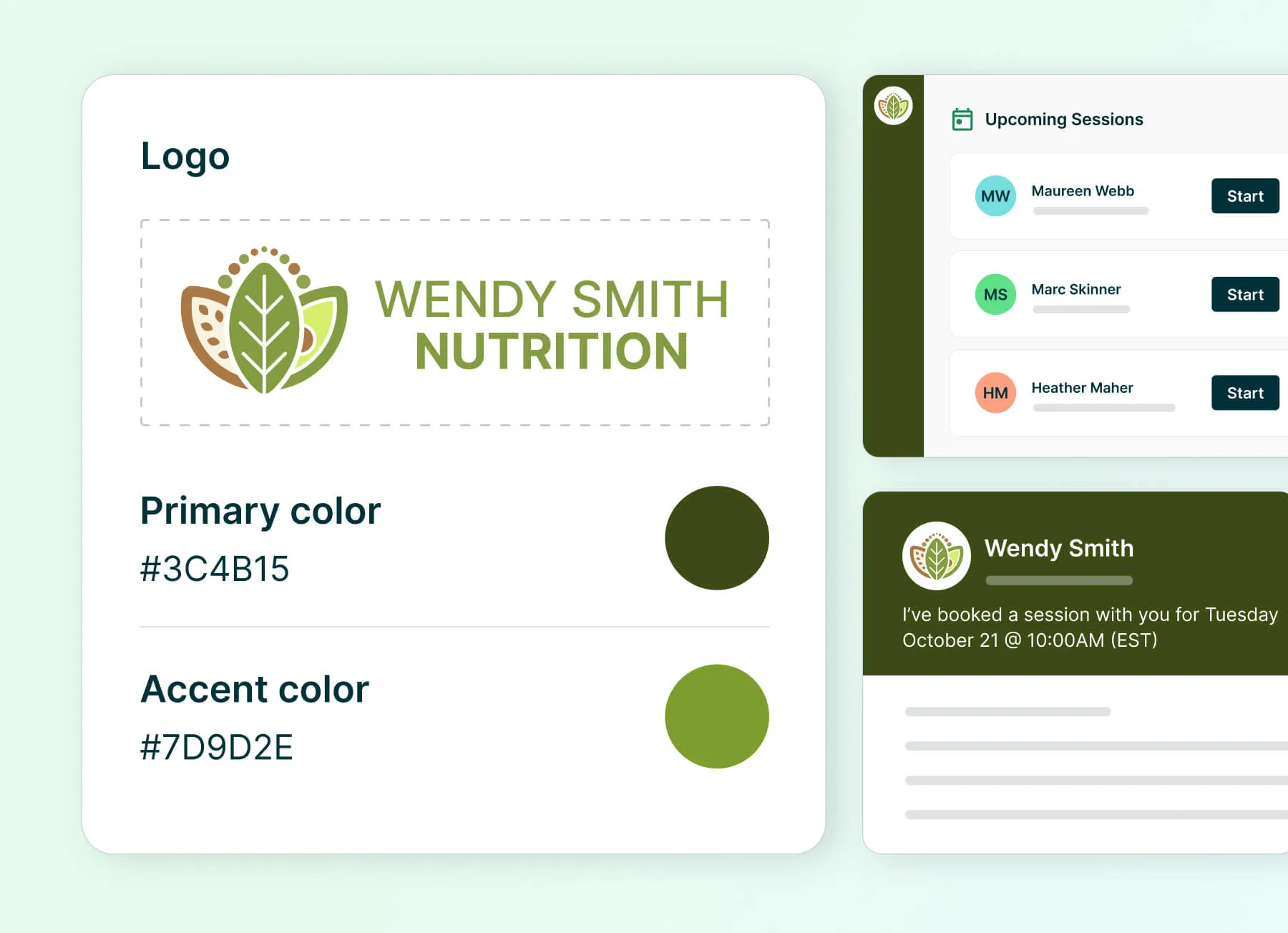
User interface showing branding controls within Practice Better

Present one consistent brand to every client

Your portal, emails, intake forms, and booking links all carry your clinic's logo and colors — applied once, everywhere they matter.

Real impact for real group practices

Try the Team plan free for 30 days

Then pay
$
155
USD/month

For group practices that want to elevate their team-based care

Users & Devices
2 practitioner licenses (up to 200 @ $50 per practitioner)
Unlimited admin licenses
Unlimited clients
Unlimited storage
Web portal & mobile app
Team Features
Custom roles and permissions
Team scheduling and shared calendar
Team chat
Advanced workflows and collaboration tools
Team reporting
Managed billing
SMS text reminders (2,000/month)
Broadcast messaging
(30,000/month)
Personalized onboarding support
Everything is integrated and the client experience is seamless. I use it for literally everything and it is so easy for me and my staff.
Jessica Mantell
CEO, M.S., LDC, Founder
Could not run my practice without it! I love the streamlined place where my clients can go to do anything and everything related to their nutrition consultations with me and being able to access all their program materials. The mobile app is key for easy access!
Annika Rockwell
Licensed Nutritionist and Registered Dietitian
Practice Better has been a game changer for our practice that has 7 practitioners. It's been very helpful to streamline protocols, keep files organized and communicate easily with clients.
Liz Roman
Co-Founder, CEO, Nutritional Therapy Practitioner
There are so many features that allow you to automate many things so you can focus on providing what matters most to your clients. The support team is also extremely responsive and has allowed me to get many issues resolved in the same day in most cases. I couldn't be more grateful!
Jarrod Boyle
Registered Dietitian
Since starting with Practice Better over 3 years ago, my billing, scheduling, group program management, and client tracking have all become easier. I love that the platform streamlines almost everything I do with clients and gives them an app interface to conduct all of their business with me!
Dr. Megan Lyons
Founder & Owner, DCN, IFMCP, LDN, CNS, CCN, BCHN, MBA, MSHN
Practice Better has it all. Integrations, scheduling, payments, protocols, notes, messaging..... Everything is super seamless and clients love the app which acts like text messaging! No more trying to keep track of things in emails. Highly recommend for any practitioner.
Abbie Bradford
Founder & CEO, RN, FDNP, Clinical Herbalist
Practice better is my first EMR & Ive been using it for about 4-5 years now. Protocols, note taking, scheduling & forms are streamlined. It's easy to navigate & helpful support when I need it.
Emily Kilar
Certified Nutrition Specialist, Licensed Dietitian Nutritionist & Certified Lactation Counselor.
Practice Better is a great EMR software that does so much more than just noting. It automates a ton of the busy work of running a practice and also allows you to do group programs. It's very easy to use and also easy for clients to use.
Samantha Christy
Founder, Registered Dietitian, and Personal Trainer
Practice Better is so user friendly for both the provider and the patients. I love being able to customize the forms.
Caitlin White
Family Nurse Practitioner
Practice Better changed every fiber of my practice and made me the thriving practice I am. I could not do my daily duties without it! It has directly connected me to my client.
Monica Boyer
Health and Wellness Coach
Everything is streamlined and user friendly. I like the features that make my charting more efficient like note templates and merging data from paperwork into a chart. It saves me so much time in charting and allows me to spend more time actually seeing clients.
Rachel Benight
Registered Dietitian
I love being able to create fillable templates and use automations to take day to day tasks off my to do list. Integrated billing is a helpful tool for our practice with offering both cash pay and insurance billings options for patients.
Michelle Riggs
Registered Dietitian Nutritionist

Frequently asked questions

How is the Team plan priced, and what's included in the base subscription?

The Team plan starts at $155/month and includes two practitioner licenses and unlimited admin licenses. Beyond the base, you can add up to 200 total practitioners at $50/user/month — so your subscription scales with your practice rather than locking you into a fixed headcount. All Team plan subscribers also get access to every feature on lower-tier plans, plus team-exclusive capabilities like shared resources, managed billing, and multi-site access.

Which AI features are included in the Team plan, and which are add-ons?

The Team plan includes AI tools across your team's workflow at no extra cost, including AI Session Prep, AI Session Insights, AI Writing Assistant, AI Program Content Generator for every program type, and AI Fax Classification. AI Charting Assistant, which drafts session notes for practitioner review, is a separate add-on priced per practitioner per month. Add-ons are managed at the subscription level, so you can enable AI Charting Assistant for the practitioners who want it without changing your base plan or your practitioner licenses. See plans and pricing for current details.

 Is Practice Better compliant with HIPAA, GDPR, and other privacy regulations?

Yes. Compliance is included on every plan — there's no premium tier required to unlock it. Practice Better meets HIPAA, GDPR, PIPEDA, and PHIPA standards. All client data is encrypted end-to-end, telehealth sessions run on a secure, HIPAA-compliant video infrastructure (no third-party tools like Zoom required), and all messaging between practitioners and clients is encrypted and audit-ready. A Business Associate Agreement (BAA) is available for your records.

What does migrating from another EHR look like?

Practice Better offers a Premium Migration service for practices switching from another platform. This is a high-touch, guided process that covers file transfer, account setup, and one-on-one onboarding support to minimize disruption to your practice. If any of your practitioners are already using Practice Better as solo subscribers, their existing accounts can be merged directly into your Team account — preserving their client records, notes, and resources without starting from scratch.

How do I add or remove practitioners and admin users from my team?

Team members are managed from your subscription dashboard. To add someone, go to Team Members, click Invite People, select a user type (Practitioner or Admin), enter their contact details, and assign a role and access level — they'll receive an activation email automatically. To remove access, you have two options: deactivating a member suspends their portal access but retains their seat count toward your plan limit, while archiving permanently revokes access and removes them from your seat count. Either way, all their client records, notes, and resources remain intact and accessible within your account.

Can different practitioners on my team have different permission levels?

Yes. Practice Better supports granular role-based access. Practitioners can manage their own clients and resources independently, while Admin users can create and manage resources on behalf of practitioners — useful for front-desk or operations staff. You can also designate Practice Admin permissions to give select team members the ability to manage subscriptions, troubleshoot access, and oversee team-wide settings. Permissions can be adjusted at any time as your team's needs change.

Are contracts required, and how does billing work?

No long-term contracts are required. You can choose monthly or annual billing. With monthly billing, you can adjust your subscription as your team grows, contracts, or changes how it operates. With annual billing, you commit to the year up front and include free migration support, a $500 value, if you're moving from another platform.

You can upgrade your plan at any time on either billing option. Downgrades take effect at the start of your next billing cycle — on an annual plan, that's your next renewal date.

If you want to evaluate the platform first, the Team plan includes a 30-day free trial, giving your whole team time to explore it without financial risk. See plans and pricing for current details.

How does billing work when clients pay practitioners on my team?

The Team plan supports two billing configurations. With managed billing enabled for the whole practice, all client payments are processed through the team owner's payment processor — ideal for centralized revenue management. Alternatively, each practitioner can link their own payment processor and handle billing independently. You can also mix the two approaches by enabling managed billing on a service-by-service basis. This flexibility makes it straightforward to accommodate both employee practitioners and independently contracted providers under the same account.

Do practitioners still review AI-generated notes before they're filed?

Yes. AI drafts, practitioners decide. Every AI-generated note is presented as a draft for the practitioner to review, edit, and sign off on before it becomes part of the client record — nothing is filed without your review. For group practices, this means your existing documentation and supervision workflows don't change: the practitioner who owns the client still owns the note. Note ownership, edit history, and access permissions follow the same role-based rules as the rest of your account, so admins and supervising practitioners see exactly what they'd see for a manually written note.

Is our client data used to train AI models?

No. Client data in your account is not used to train AI models. AI features operate on your own practice's data to produce output for your practice only — there is no pooling of client information across practices. All AI features fall under the same HIPAA, GDPR, PIPEDA, and PHIPA commitments as the rest of the platform and are covered by your Business Associate Agreement (BAA). See our Trust Center for full details.

Let our experts get your team up to speed faster

Our onboarding experts are ready to help new Team plan members with personalized, one-on-one support.

Experience the platform that powers success for you and your clients

Try any paid plan free.