
Between client sessions, documentation, billing, and program building, there's rarely time to stay on top of every product update. But missing a feature that saves you two hours a week — or one that helps a client finally say yes to a package — adds up.
Here's what launched in the first half of the year.
The biggest theme in the first half of 2026 was AI tools designed around the specific places where health and wellness practitioners lose time: session prep, documentation, program building, and admin. Here's everything that's now live.
Before a session, most practitioners spend a few minutes scrolling back through the client's last note to remember where things left off. AI Session Prep eliminates that step.
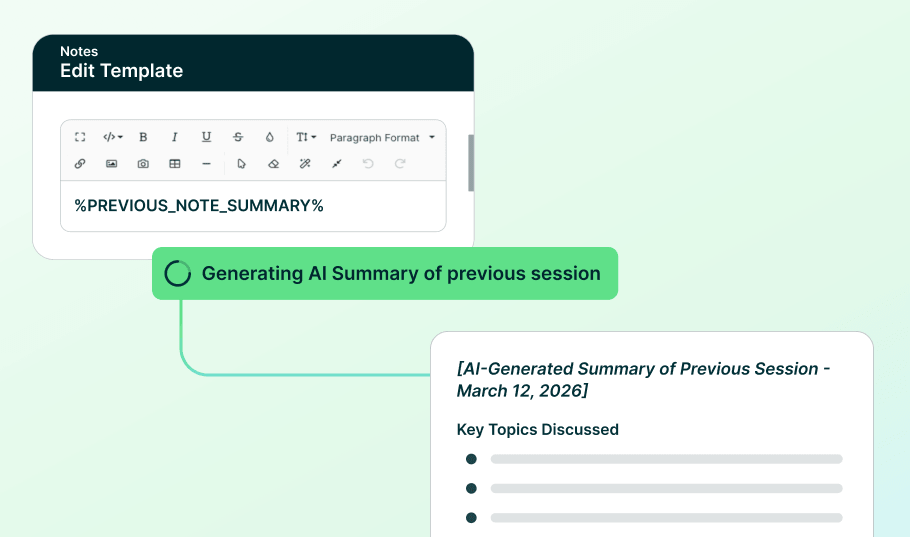
Add the Previous Note Summary placeholder to any note template. When you create a new note from that template, Practice Better analyzes your client's most recent session and generates a written summary — ready to review and edit before the session starts.
Set up AI Session Prep | Learn more
Session notes, program modules, intake forms, client messages — you write constantly, and not every sentence comes out right the first time. Rewriting from scratch takes time you don't have. Leaving it as-is isn't the answer either.
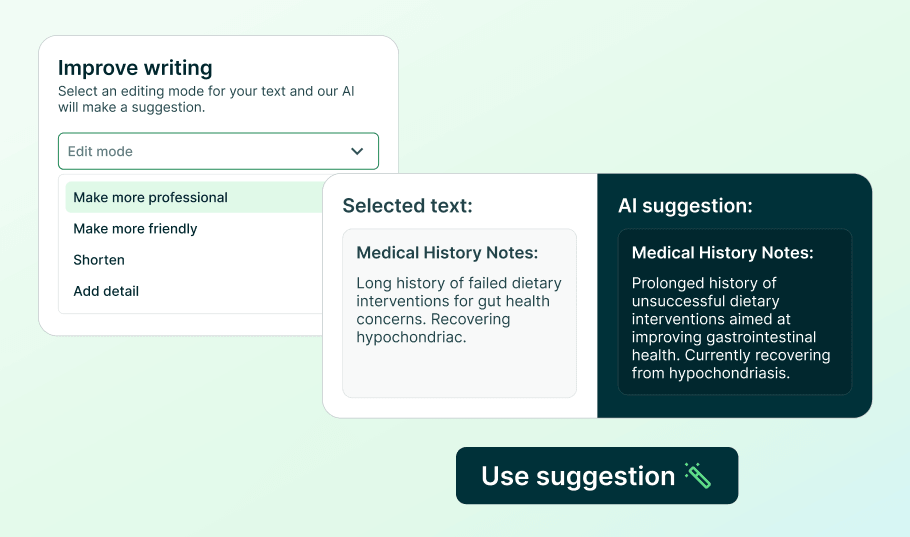
Select any text in a Practice Better rich text editor and choose an improvement: Correct Spelling & Grammar, Make More Professional, Make More Friendly, Shorten, or Add Detail. A suggested rewrite appears for review before anything changes. Accept it to replace your original text, or cancel to keep it.
Try the AI Writing Assistant | Learn more
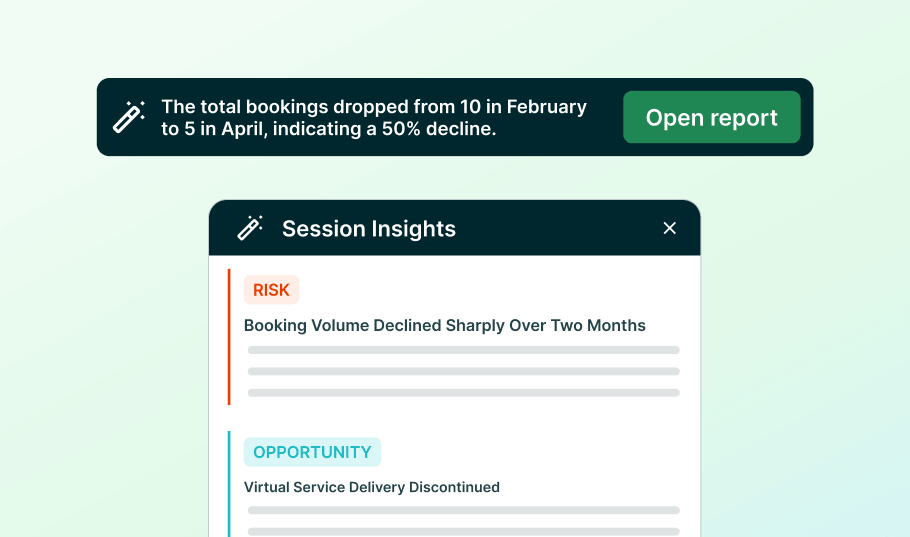
Reports tell you what happened. They don't always tell you what it means — and digging through rows to find the pattern takes time most practitioners don't have.
A new summary banner in the Session History report surfaces AI-written insights drawn from your current report data, refreshed automatically when you update filters. Open the full panel to see insights organized into Risk, Issue, Growth, and Opportunity — patterns in booking volume, service performance, and lead times that would otherwise take manual review to catch. AI summaries are meant to assist interpretation; always confirm against the underlying chart data.
View AI Session Insights | Learn more
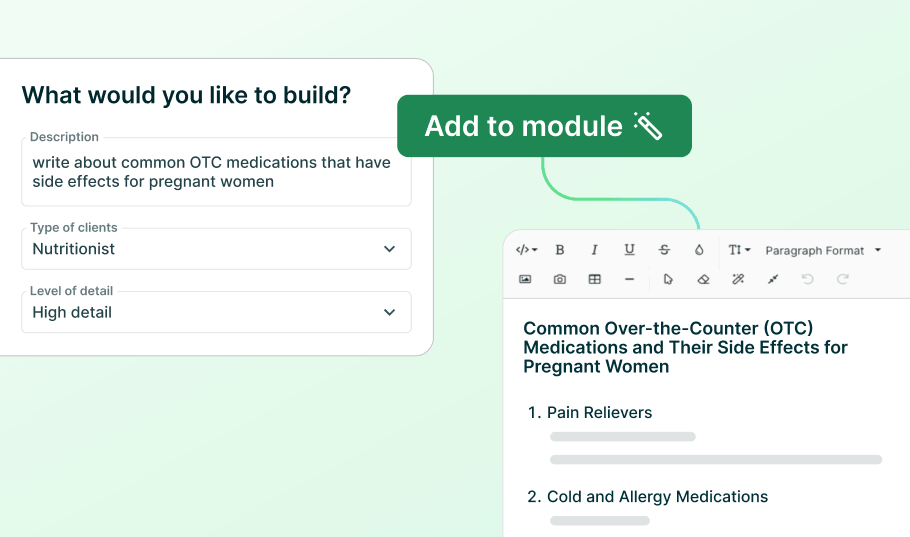
Building program content from scratch takes time. The AI Program Content Generator gives you a starting point.
When building a program module, describe what you want the AI to write, click Preview to review the generated content, then Add to module to insert it as a new text section. Your existing content is never touched. As with all AI-generated content, review for accuracy before publishing.
Build a Program Module | Learn more
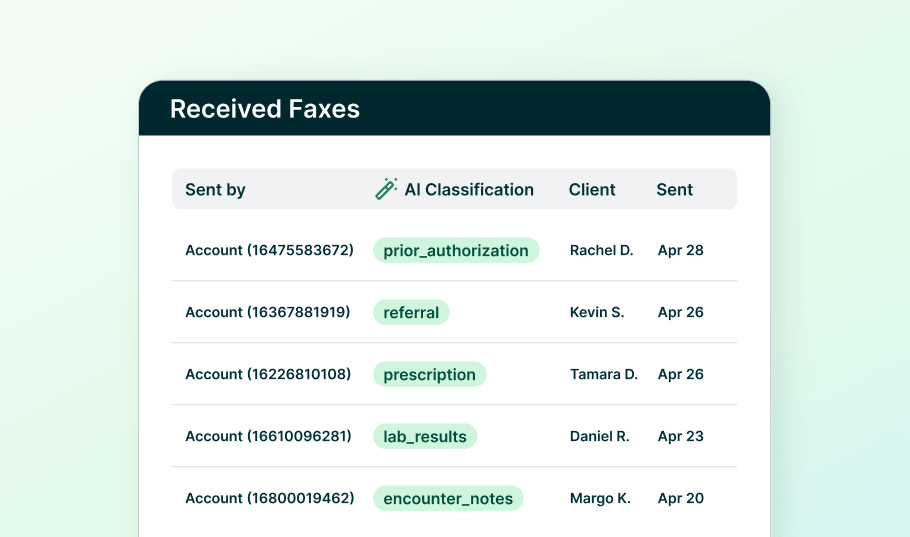
If you work with labs, insurance companies, or referring providers, incoming faxes are a regular part of your workflow. Manually sorting them is a regular time drain.
Practice Better now automatically analyzes incoming faxes and applies category tags — lab results, referrals, prescriptions, and more. From the Received Faxes page, you can copy a fax directly into a client folder. All tags are editable.
Manage Your Fax Inbox | Learn more
{{free-trial-quarterly-product-roundup}}
New Payment Methods: Bank Debits & Buy Now, Pay Later
Two new payment options are now available through Practice Better Payments, in addition to credit cards, Apple Pay, and Google Pay.
Bank debits let clients pay directly from their bank account at checkout. Processing fees are typically lower than credit card transactions — which matters if you're running a high volume of payments each month.
Buy Now, Pay Later (BNPL) lets clients split a payment into installments at checkout. For higher-value packages and programs, this can be the difference between a client saying yes and saying "let me think about it." BNPL options include Klarna, Affirm, Afterpay, and Cash App Clearpay.
Both payment options appear automatically on client invoices once Practice Better Payments is active. No extra setup required.
Set up Practice Better Payments | Learn more about Bank Debits | Learn more about BNPL
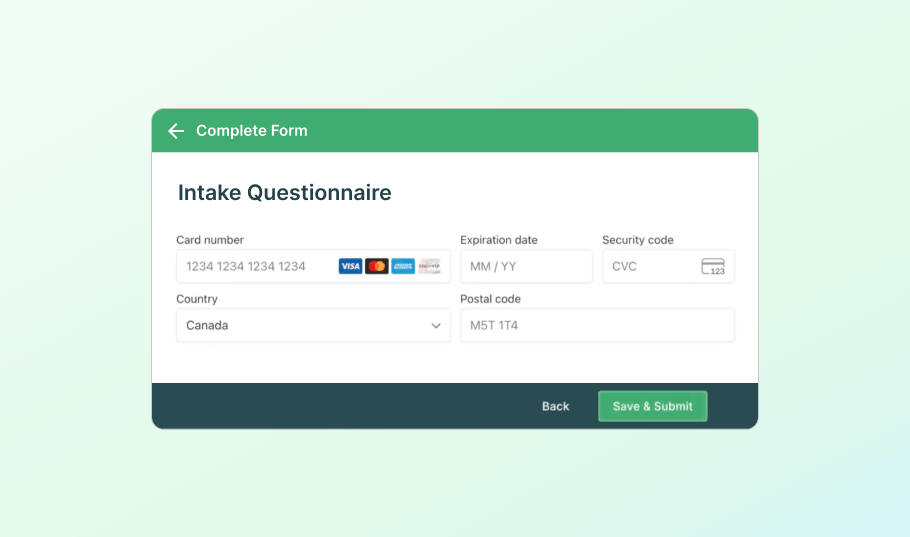
Practitioners on Practice Better Payments can now add a Credit Card element to any form in Form Builder. Clients enter their card details when completing the form — nothing is charged at submission. Once you import the form response, the card saves securely to their billing profile, ready for invoices, payment plans, or no-show fees.
No more asking for payment details mid-session. No more chasing clients after the fact.
Add the Credit Card Element to your Forms | Learn more
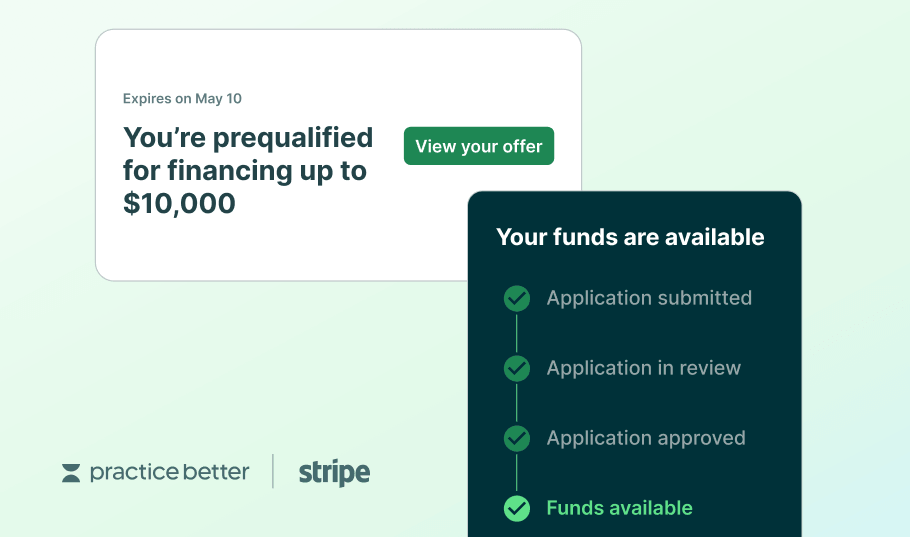
Practice Better Capital gives eligible US practitioners on Practice Better Payments access to prequalified business financing — directly inside their Payments Dashboard, powered by Stripe Capital. Apply in minutes, with funds typically available in 2 business days if you’re approved. Pay automatically through a portion of your daily sales*.
Eligibility is based on your Practice Better Payments processing history — the longer you've been collecting payments on the platform, the more history you've built toward qualifying.
Whether you're bringing on an associate, investing in equipment, or smoothing out cash flow between busy seasons, check your Payments Dashboard to see if an offer is available.
See if you have a prequalified offer in your Payments Dashboard | Learn more
New to Practice Better Payments?
Practice Better Capital is exclusive to practitioners on Practice Better Payments. Set up Practice Better Payments to begin processing client payments in one place, and you'll build the payment history that determines eligibility for Practice Better Capital.
Get started — set up takes 5-10 minutes | Learn more
Disclaimer: Stripe Capital offers financing types that include loans and merchant cash advances. All financing applications are subject to review prior to approval. In the US, Stripe Capital loans are issued by Celtic Bank, and YouLend provides Stripe Capital merchant cash advances. See your Dashboard for the terms of your offer. Practice Better Capital is available to eligible US practitioners on Practice Better Payments.
*Stripe Capital loans have a minimum amount due each payment period, and if the minimum amount that you pay through sales doesn’t meet the minimum your account will be automatically debited the remaining amount at the end of the period. If your loan has a fixed payment, Stripe stops withholding from your Stripe sales when you meet the fixed payment amount. The payment terms for your offer will be detailed during the application process.
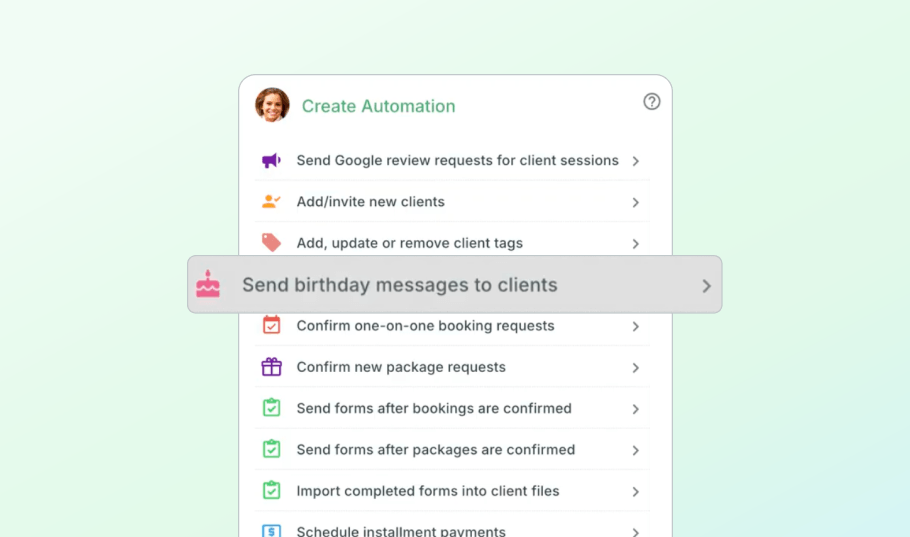
Practice Better now automatically sends a birthday message to each client on their special day. No manual tracking. No calendar reminders. Nothing extra on your plate.
It's a small gesture. But client relationships are built on exactly these kinds of small gestures — and clients who feel remembered are more likely to stay engaged, re-book after a gap, and refer others. Set it up once and the automation handles itself.
Set up your Birthday Messages | Learn more
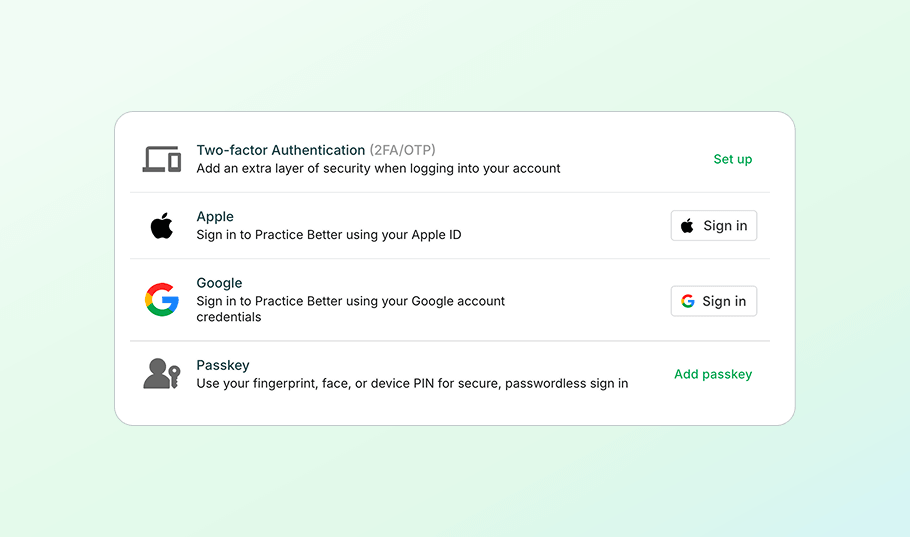
If you're logging into Practice Better multiple times a day, these login options are worth two minutes to set up, alongside Two-Factor Authentication and Google Sign-In.
Apple Sign-In — Link your Apple ID to your Practice Better account for a faster, more secure way to log in.
Link your Apple ID | Learn more
Passkeys — Sign in with Face ID, Touch ID, fingerprint, or PIN. No password required. Passkeys sync across your devices, work alongside your existing login methods, and provide enhanced protection against phishing.
Every feature in this roundup has a dedicated help article, which is linked throughout this post and searchable in the Practice Better Help Center. For tips on how practitioners are actually using these tools day-to-day, the Practice Better Community is the best place to look.
We'll be back at the end of Q3 with the next edition.
{{free-trial-quarterly-product-roundup}}
Between client sessions, documentation, billing, and program building, there's rarely time to stay on top of every product update. But missing a feature that saves you two hours a week — or one that helps a client finally say yes to a package — adds up.
Here's what launched in the first half of the year.
The biggest theme in the first half of 2026 was AI tools designed around the specific places where health and wellness practitioners lose time: session prep, documentation, program building, and admin. Here's everything that's now live.
Before a session, most practitioners spend a few minutes scrolling back through the client's last note to remember where things left off. AI Session Prep eliminates that step.
Add the Previous Note Summary placeholder to any note template. When you create a new note from that template, Practice Better analyzes your client's most recent session and generates a written summary — ready to review and edit before the session starts.
Set up AI Session Prep | Learn more
Session notes, program modules, intake forms, client messages — you write constantly, and not every sentence comes out right the first time. Rewriting from scratch takes time you don't have. Leaving it as-is isn't the answer either.
Select any text in a Practice Better rich text editor and choose an improvement: Correct Spelling & Grammar, Make More Professional, Make More Friendly, Shorten, or Add Detail. A suggested rewrite appears for review before anything changes. Accept it to replace your original text, or cancel to keep it.
Try the AI Writing Assistant | Learn more
Reports tell you what happened. They don't always tell you what it means — and digging through rows to find the pattern takes time most practitioners don't have.
A new summary banner in the Session History report surfaces AI-written insights drawn from your current report data, refreshed automatically when you update filters. Open the full panel to see insights organized into Risk, Issue, Growth, and Opportunity — patterns in booking volume, service performance, and lead times that would otherwise take manual review to catch. AI summaries are meant to assist interpretation; always confirm against the underlying chart data.
View AI Session Insights | Learn more
Building program content from scratch takes time. The AI Program Content Generator gives you a starting point.
When building a program module, describe what you want the AI to write, click Preview to review the generated content, then Add to module to insert it as a new text section. Your existing content is never touched. As with all AI-generated content, review for accuracy before publishing.
Build a Program Module | Learn more
If you work with labs, insurance companies, or referring providers, incoming faxes are a regular part of your workflow. Manually sorting them is a regular time drain.
Practice Better now automatically analyzes incoming faxes and applies category tags — lab results, referrals, prescriptions, and more. From the Received Faxes page, you can copy a fax directly into a client folder. All tags are editable.
Manage Your Fax Inbox | Learn more
{{free-trial-quarterly-product-roundup}}
New Payment Methods: Bank Debits & Buy Now, Pay Later
Two new payment options are now available through Practice Better Payments, in addition to credit cards, Apple Pay, and Google Pay.
Bank debits let clients pay directly from their bank account at checkout. Processing fees are typically lower than credit card transactions — which matters if you're running a high volume of payments each month.
Buy Now, Pay Later (BNPL) lets clients split a payment into installments at checkout. For higher-value packages and programs, this can be the difference between a client saying yes and saying "let me think about it." BNPL options include Klarna, Affirm, Afterpay, and Cash App Clearpay.
Both payment options appear automatically on client invoices once Practice Better Payments is active. No extra setup required.
Set up Practice Better Payments | Learn more about Bank Debits | Learn more about BNPL
Practitioners on Practice Better Payments can now add a Credit Card element to any form in Form Builder. Clients enter their card details when completing the form — nothing is charged at submission. Once you import the form response, the card saves securely to their billing profile, ready for invoices, payment plans, or no-show fees.
No more asking for payment details mid-session. No more chasing clients after the fact.
Add the Credit Card Element to your Forms | Learn more
Practice Better Capital gives eligible US practitioners on Practice Better Payments access to prequalified business financing — directly inside their Payments Dashboard, powered by Stripe Capital. Apply in minutes, with funds typically available in 2 business days if you’re approved. Pay automatically through a portion of your daily sales*.
Eligibility is based on your Practice Better Payments processing history — the longer you've been collecting payments on the platform, the more history you've built toward qualifying.
Whether you're bringing on an associate, investing in equipment, or smoothing out cash flow between busy seasons, check your Payments Dashboard to see if an offer is available.
See if you have a prequalified offer in your Payments Dashboard | Learn more
New to Practice Better Payments?
Practice Better Capital is exclusive to practitioners on Practice Better Payments. Set up Practice Better Payments to begin processing client payments in one place, and you'll build the payment history that determines eligibility for Practice Better Capital.
Get started — set up takes 5-10 minutes | Learn more
Disclaimer: Stripe Capital offers financing types that include loans and merchant cash advances. All financing applications are subject to review prior to approval. In the US, Stripe Capital loans are issued by Celtic Bank, and YouLend provides Stripe Capital merchant cash advances. See your Dashboard for the terms of your offer. Practice Better Capital is available to eligible US practitioners on Practice Better Payments.
*Stripe Capital loans have a minimum amount due each payment period, and if the minimum amount that you pay through sales doesn’t meet the minimum your account will be automatically debited the remaining amount at the end of the period. If your loan has a fixed payment, Stripe stops withholding from your Stripe sales when you meet the fixed payment amount. The payment terms for your offer will be detailed during the application process.
Practice Better now automatically sends a birthday message to each client on their special day. No manual tracking. No calendar reminders. Nothing extra on your plate.
It's a small gesture. But client relationships are built on exactly these kinds of small gestures — and clients who feel remembered are more likely to stay engaged, re-book after a gap, and refer others. Set it up once and the automation handles itself.
Set up your Birthday Messages | Learn more
If you're logging into Practice Better multiple times a day, these login options are worth two minutes to set up, alongside Two-Factor Authentication and Google Sign-In.
Apple Sign-In — Link your Apple ID to your Practice Better account for a faster, more secure way to log in.
Link your Apple ID | Learn more
Passkeys — Sign in with Face ID, Touch ID, fingerprint, or PIN. No password required. Passkeys sync across your devices, work alongside your existing login methods, and provide enhanced protection against phishing.
Every feature in this roundup has a dedicated help article, which is linked throughout this post and searchable in the Practice Better Help Center. For tips on how practitioners are actually using these tools day-to-day, the Practice Better Community is the best place to look.
We'll be back at the end of Q3 with the next edition.
{{free-trial-quarterly-product-roundup}}